For food bloggers
How to turn a recipe blog post into a cooking video
Bring an existing recipe into a practical filming workflow on your Mac, from checking the method to exporting a short video.
1. Choose one recipe you know well
Start with a recipe you have already tested. A familiar dish lets you concentrate on showing the process rather than changing it while the camera is running. Choose a short sequence with a clear result: mixing a dressing, building a sandwich or finishing a curry.
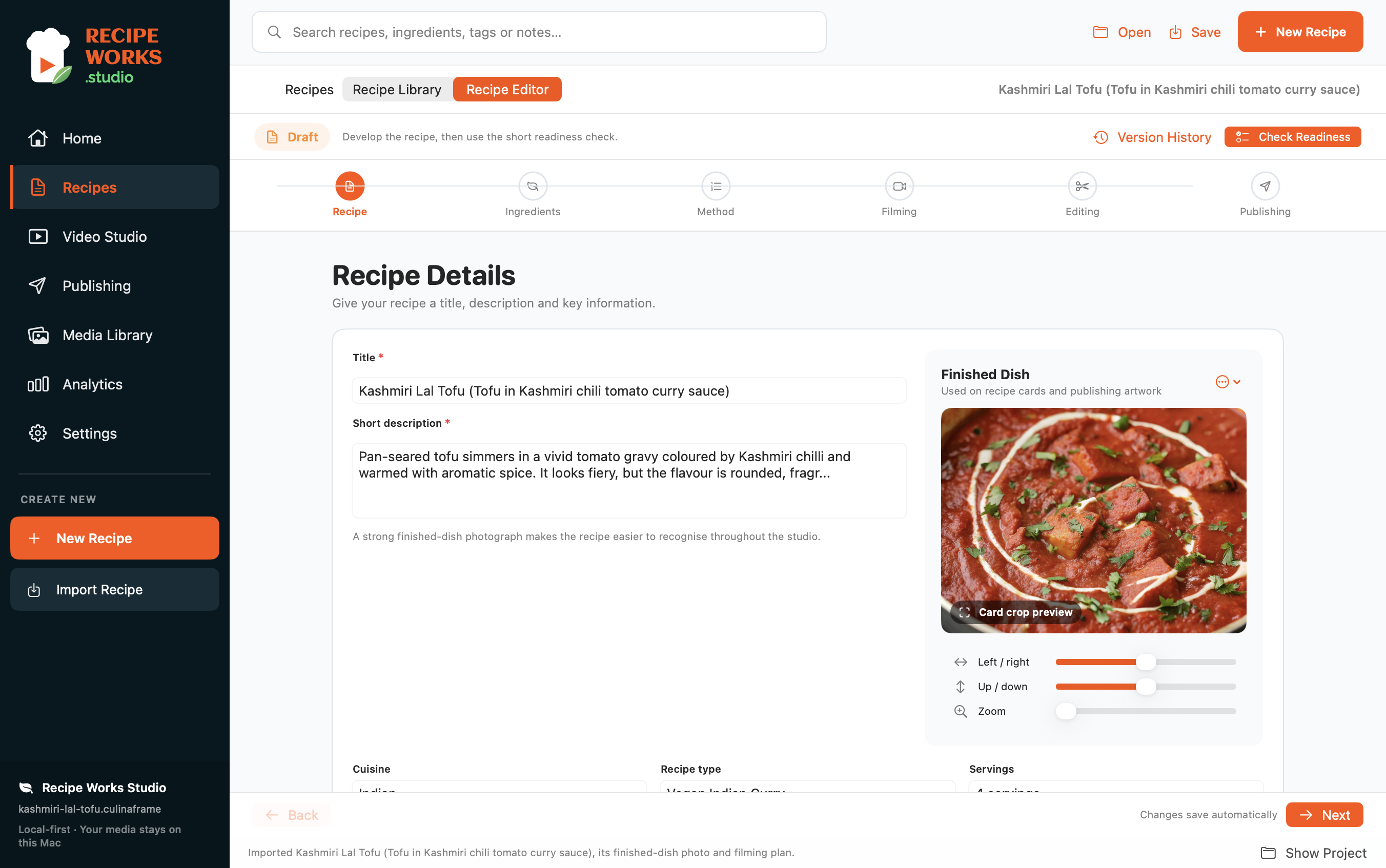
2. Bring the recipe into your workspace
In Recipe Works Studio, import a supported recipe URL or enter your recipe manually. Review the ingredient quantities, groups and method before filming. An imported page can need corrections; do not assume the result is ready without checking it.
3. Turn the method into things viewers need to see
For each important step, decide what the viewer needs to understand. A written instruction such as “cook until softened” needs a visible before-and-after texture. Keep a few essential shots rather than trying to show every second of cooking.
4. Prepare a small shot list
For a simple dressing, your list might be: ingredients together, adding them to a bowl, whisking, a close-up of the consistency and the finished serving. Keep the recipe and filming plan together so a changed ingredient or method is easy to spot before recording.
5. Film short, useful takes
Prepare your ingredients and stabilise the camera. Check the framing with a short test before cooking. Record the key actions and a finished-dish shot. Pause between steps when useful, then check your takes before clearing the food or setup away.
6. Make one clear edit
Choose the takes that explain the recipe, trim unnecessary pauses and watch the whole sequence. The video should agree with the written recipe. Check that the final result is visible and that any captions are readable on a small screen.
7. Export, check and upload
Export the format available in your edition, then play the actual file before uploading it manually to your chosen platform. Keep the written recipe accessible to viewers. Free includes limited watermarked vertical exports; Lite adds unlimited unwatermarked vertical and square exports, and Pro adds more formats and multi-format batch export.