For cooking-video creators
How to plan and film cooking videos on a Mac
A practical cooking-video workflow: organise the recipe, check your setup, record takes, edit and review your export.
1. Decide what this video needs to teach
Write one sentence describing the result: “Show how to make a smooth dressing” is easier to film than “Make a complete cooking channel”. Choose the intended format before framing the food, and leave enough space around the action.
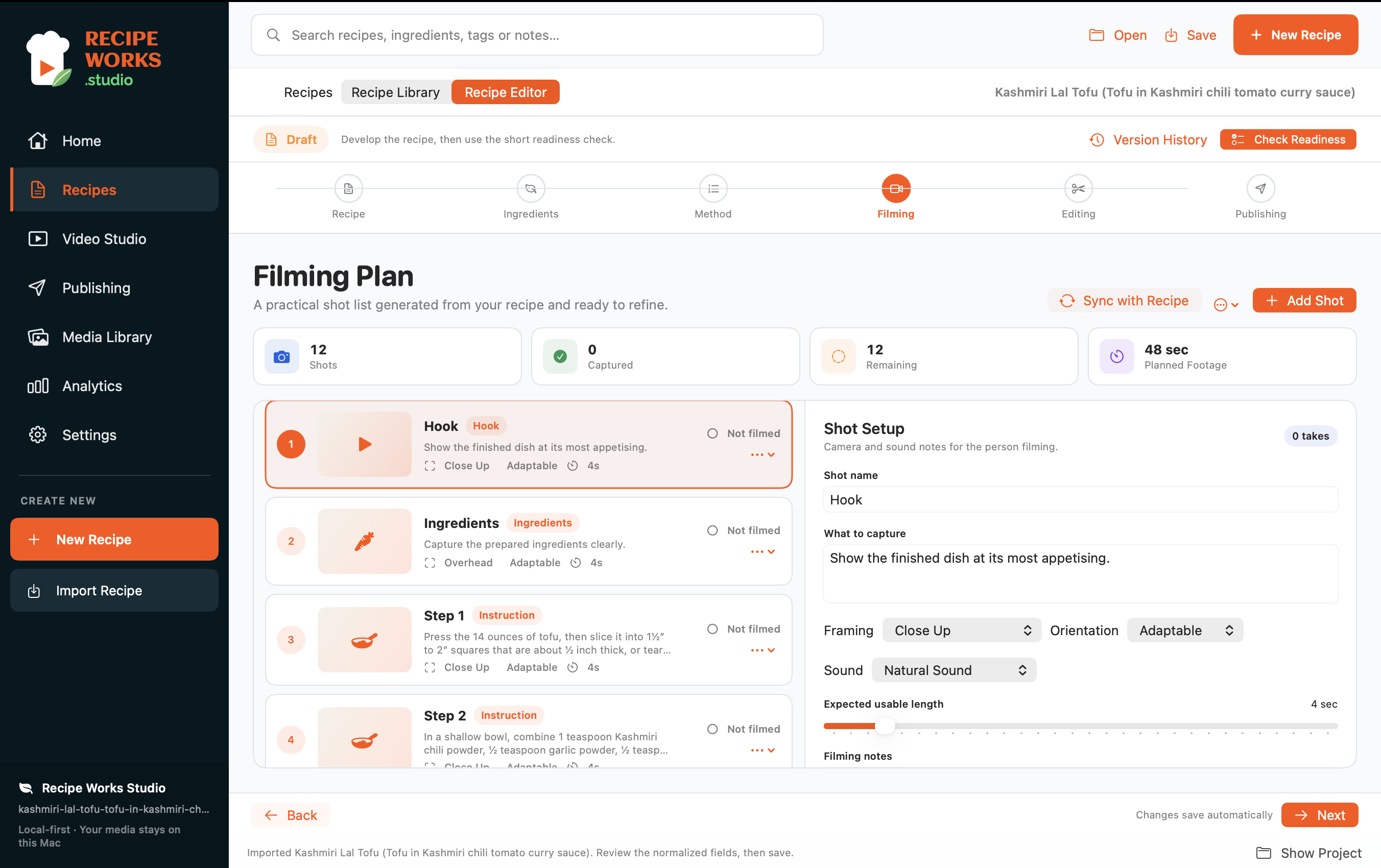
2. Keep the recipe and filming plan together
Check the ingredient list and cooking order, then plan the actions that matter on camera. Capture a visible change, a technique and the final serving. Recipe Works Studio keeps the recipe and filming plan in the same project so you can refer to both as you work.
3. Check the Mac, camera and microphone
Use a Mac running macOS 14 or later and check the system-requirements page for compatibility details. In Settings → Capture Devices, select the connected devices and make a short test. Check framing, focus and sound before recording the recipe.
4. Make the setup repeatable
Keep the camera stable and the work surface clear. Check how light falls across the food, avoid standing between the light and your subject, and keep the main action in frame. Record a test with your hands in their actual cooking position.
5. Record around the cooking steps
Work through the filming plan in manageable takes. Review important moments before moving on: pouring, a texture change and the finished dish can be hard to recreate after the food has been served. Save the project and keep its media together.
6. Choose and trim your takes
Select the useful take for each step and remove empty time. Watch the sequence for missing actions and repeated shots. Lite and Pro add music and voice-over options; use your own recordings or audio you are licensed to include.
7. Review a real export
Check the output format and edition limits before exporting. Free supports limited watermarked vertical exports. Lite supports unwatermarked vertical and square exports; Pro also adds portrait and landscape formats and multi-format batch export. Play the file, check sound and captions, then upload it manually. Recipe Works Studio does not post directly to social platforms.